


School Management System (SMS)
SMS (School management system)
visually appealing and easy to use lesson management software for teachers, tutors, and instructors. This versatile database solution can assist in the management and record keeping of all aspects of your teaching business. Built from the ground up by teachers, this software keeps record of students and customers, courses, lesson templates, payments, invoices and more.
This solution can easily be tailored to suit your business. With its vast amount of features and flexibility, you can upload your business logo, add an invoice header and footer, and create your own tuition categories, contact types and lesson template keywords. Lesson templates allows you to reuse lesson documents, saving you countless hours of preparation time.
Track Student Attendance & Grades – NEW
We have recently added storing of student attendance and grades. Keep track of your students attendance records and grading of assignments, tests, and exams. You can even use the Templates section to store assignment or exam papers and link them to the grades section for easy referral.
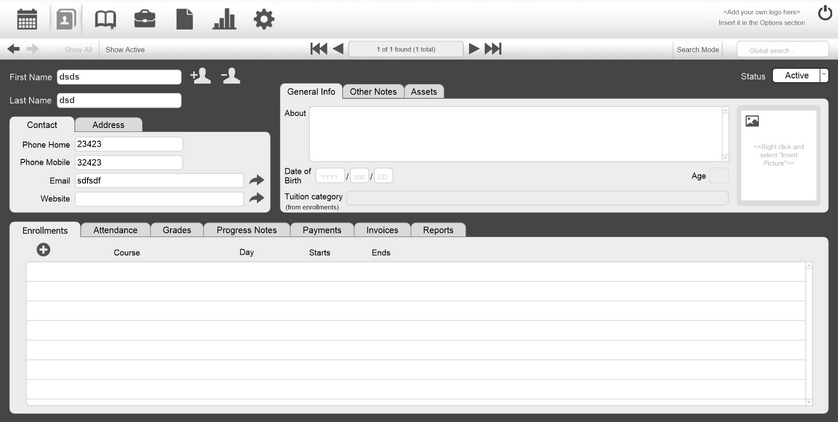
Fully Integrated Calendar
The Calendar layout allows you to see your teaching timetable, lesson plans, and miscellaneous calendar notes and events. Each lesson plan (i.e. lesson plan, date, start and end time) created in the Courses layout will show in the Calendar. You can also create lesson plans straight on the Calendar itself by first selecting the Course, and then adding the lesson plan details. Once created, this will show under the selected course in the Courses layout. Miscellaneous calendar notes and events are not associated with any lesson plan records and can be created straight on the calendar.
There may be times when you have many lessons booked in a day and this is where printing of lesson plans come in handy. The Calendar has a function that can collate all the lessons for the entire day including individual lesson plans so you can print or even save as a PDF.
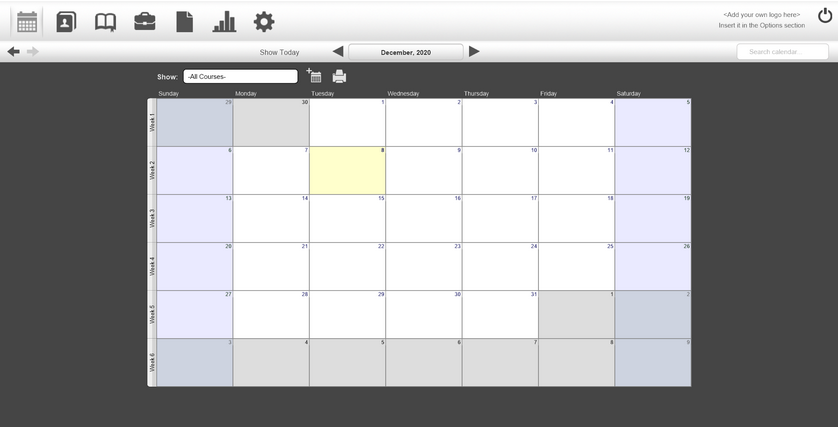
Create Contacts
- – easily create contacts for students or customers
- – add details such as phone numbers, residential and email addresses
- – add student details like age, related contacts and tuition category
- – keep record of lesson payments, as well as any purchases or rentals
- – see the courses your students are enrolled in
- – journal their progress and store lesson materials as files
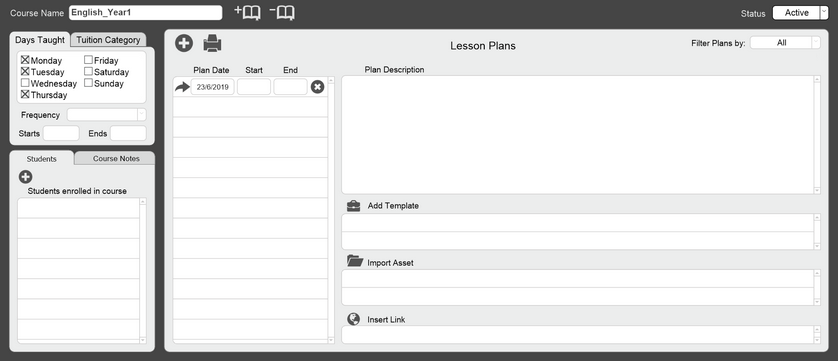
Manage Courses & Lessons
- – add a single student or a large group of students to a course
- – set default course day and times to use when creating new lesson plans
- – type all your lesson plans and print out the entire schedule for the day
- – import templates, files or website links into lesson plans
- – keep track of all your lesson plan history for future lesson planning
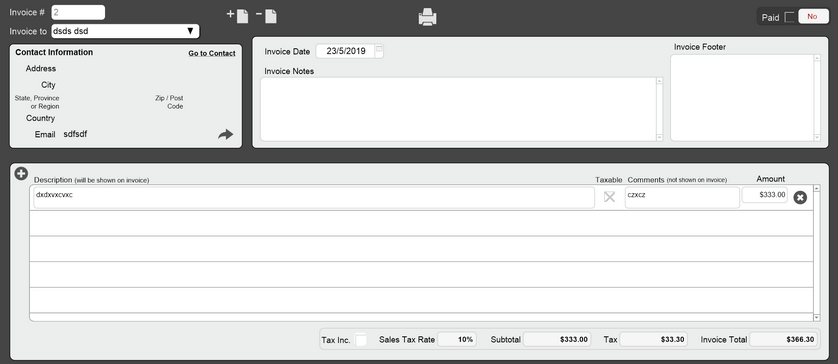
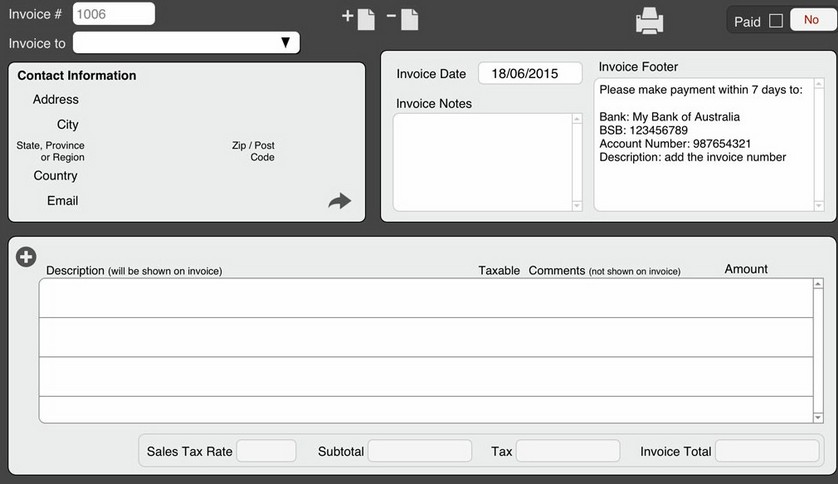
Create & Send Invoices
- – auto-select a contact from the Contacts section
- – when a contact is selected, contact info is automatically added
- – create invoice notes and footer (footer can be templated)
- – add services or product sales and rentals to an invoice
- – print and save invoices (Mac users can save as a PDF)
- – ability to mark invoice as paid
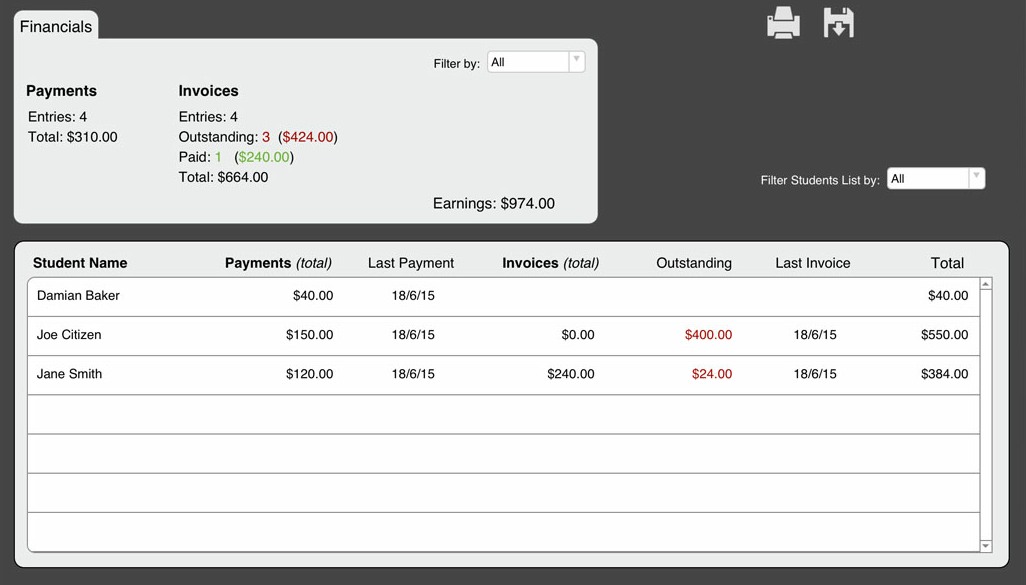
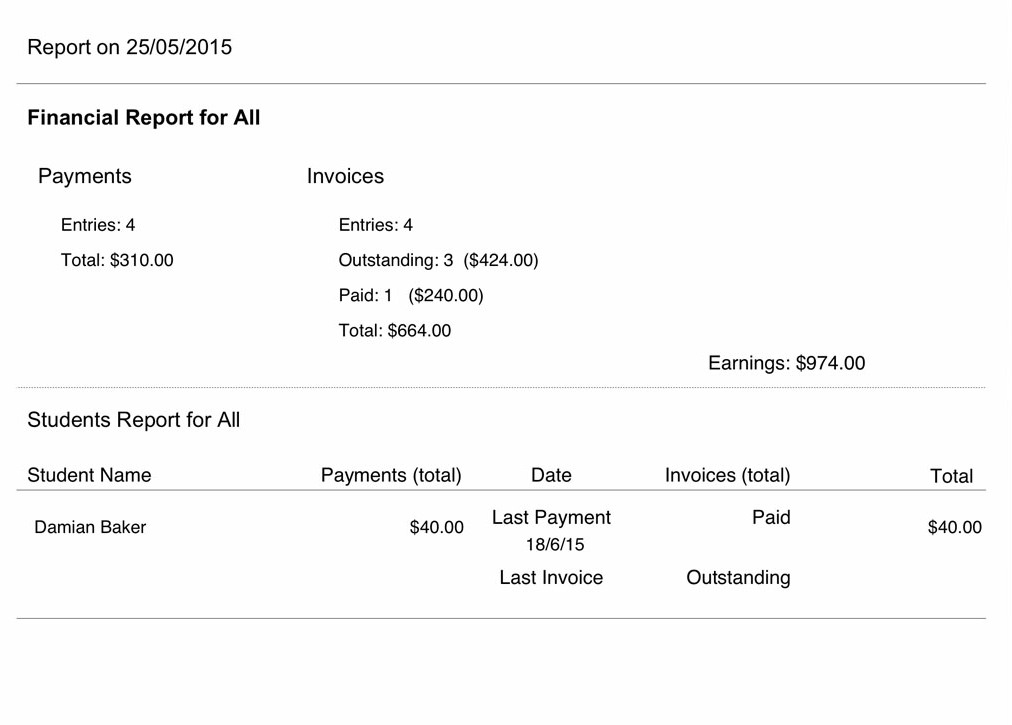
Generate Reports
Let's talk
Thanks for your interest in our services. Please fill out the email form, submit and we will get back to you soon.
Phone: +603-76110680
Email: info@mlinkenterprise.com